
Inventory software
Inventory software that knows what is in every godown
Sound familiar?
- Stock on paper never matches the shelf
- Old batches expire at the back
- Cartons and pieces counted three ways
- Short items found when a buyer asks
LalaJi ERP keeps stock by godown and moves it with every bill, purchase, transfer and return, in the units you trade in, so the counter, the salesman and the office see the same number.
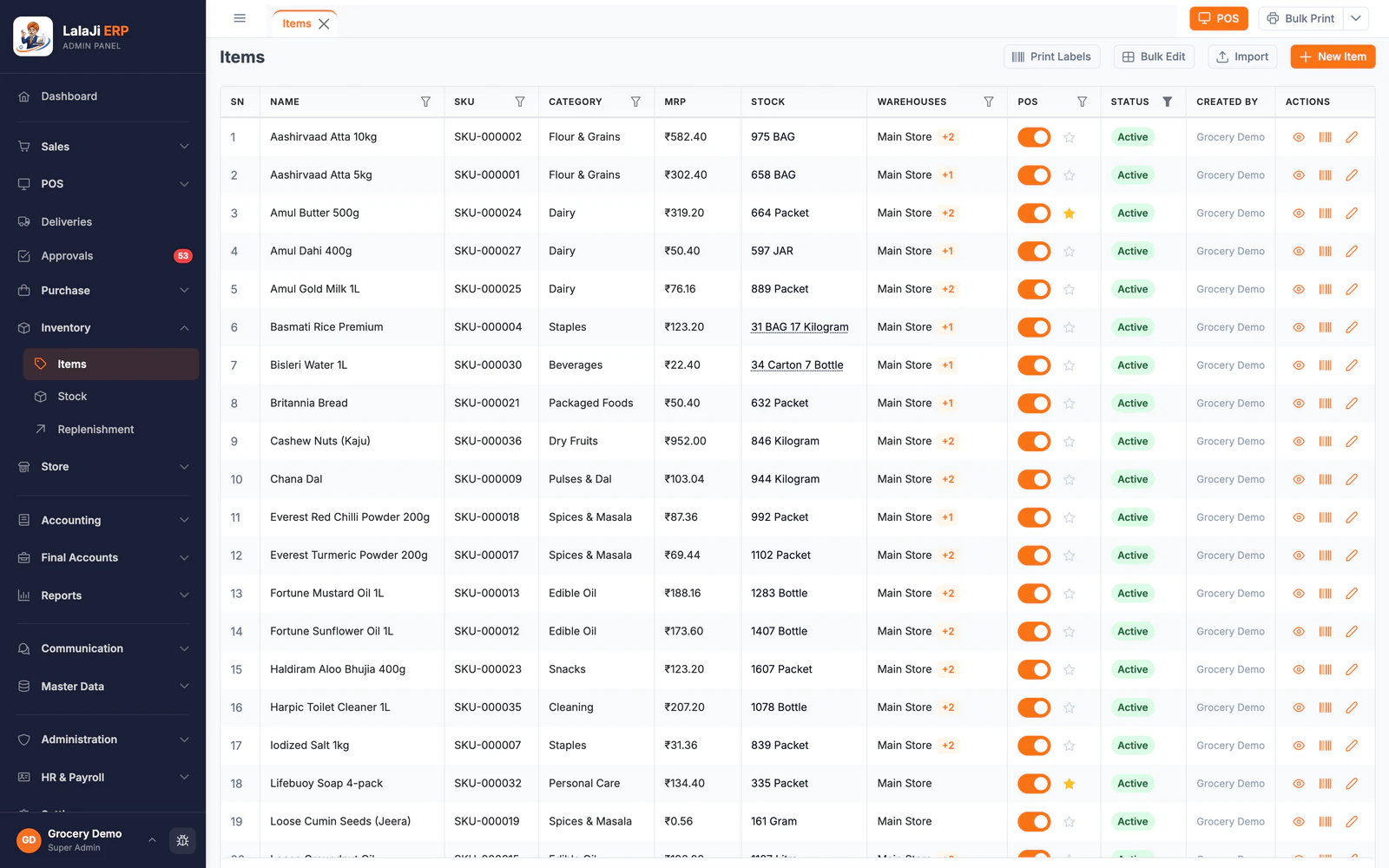
Stock, before and after
| Today | With LalaJi ERP |
|---|---|
| Stock counted in a register | Stock by godown, updated with every bill and purchase |
| Old batches expire unnoticed | Batch and expiry on every item, with expiring batches listed on the dashboard |
| Cartons, boxes and pieces counted differently | Several units per item, so stock reads like 34 cartons and 7 bottles |
| Stock moved between godowns over a phone call | Transfers between godowns, recorded on both sides |
| Re-ordering when the shelf is already empty | Reorder levels that feed a replenishment list |
What inventory in LalaJi covers
Godowns and outlets
Several locations, each with its own stock, and transfers and adjustments between them.
Batch and expiry
Batches tracked on the items that need them and shown at billing, so the older stock can go out first.
Units
Buy in cartons, sell in boxes or pieces; stock converts between them correctly.
Reorder and replenishment
Reorder levels per item and a replenishment list of what to buy next.
Price lists
Different rates for retail, wholesale and party groups on the same item.
Stock reports
Stock summary and item and godown reports, exported to Excel or PDF.
Stock you can trust
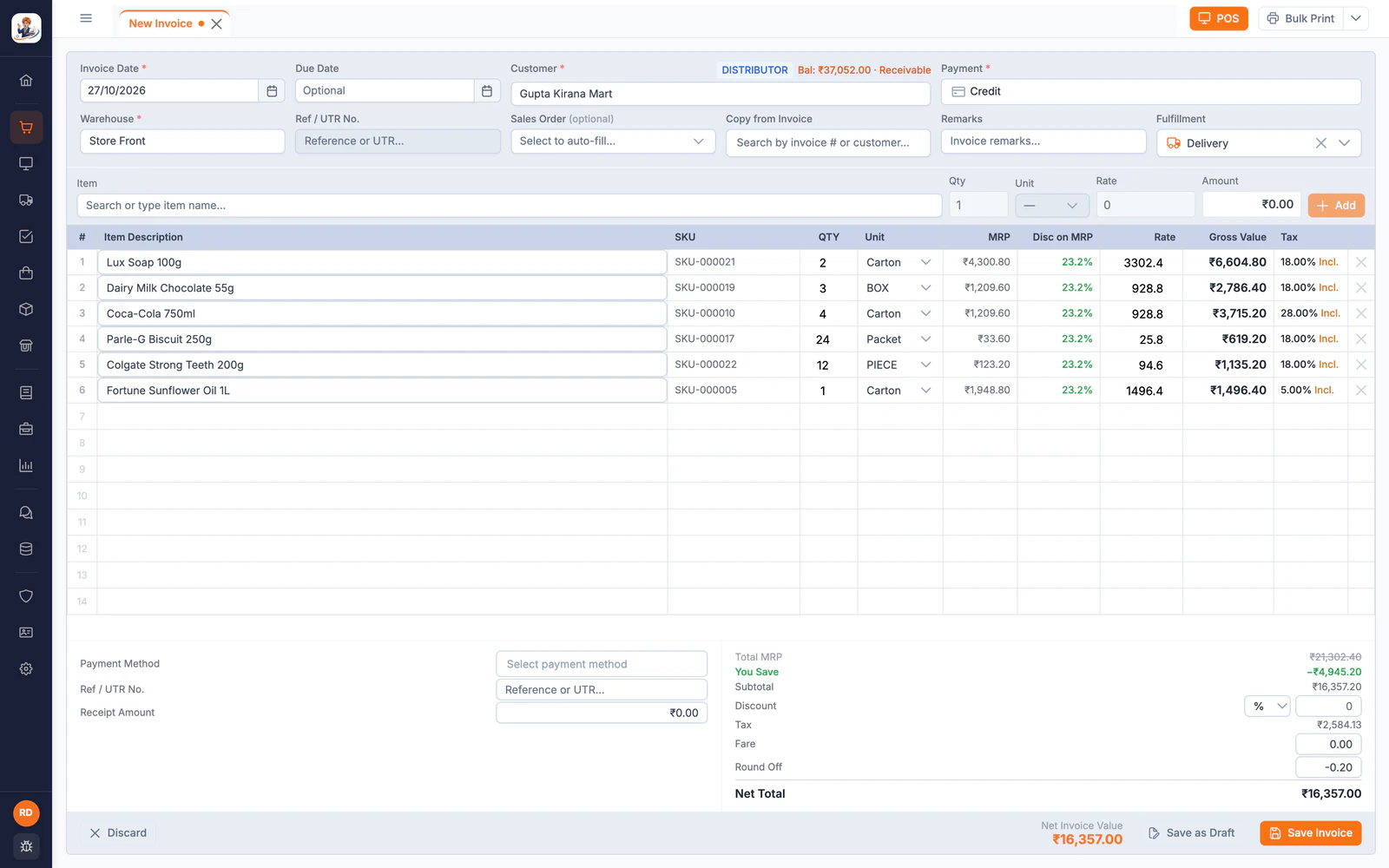
Every bill moves stock
Sales, POS bills, returns and challans take stock out of the godown they were made from, in the unit they were sold in, as soon as they are saved.
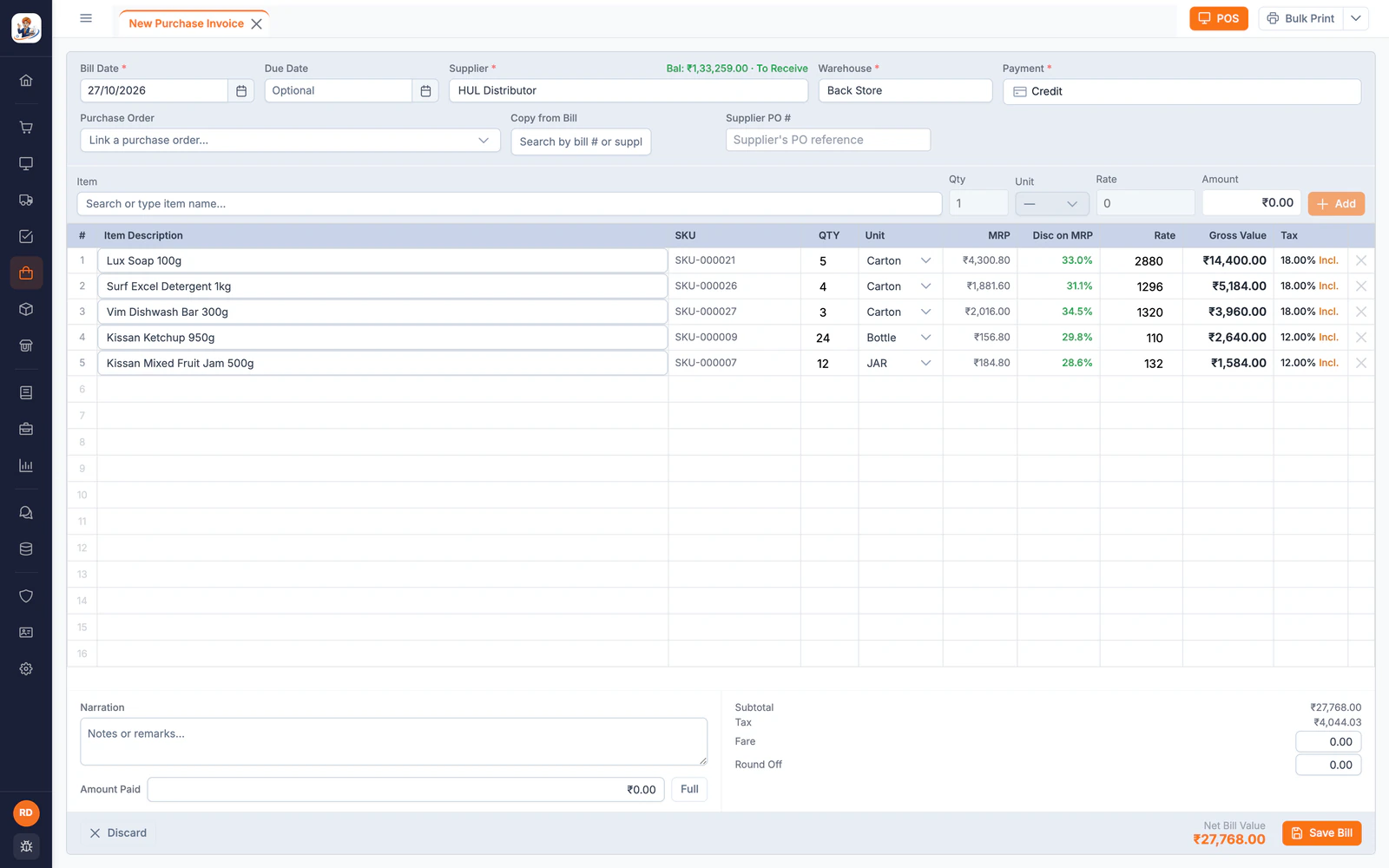
Purchases add it back
Supplier bills add stock in the units you buy, with MRP, discount and GST on each line, so the cost of every item stays current.
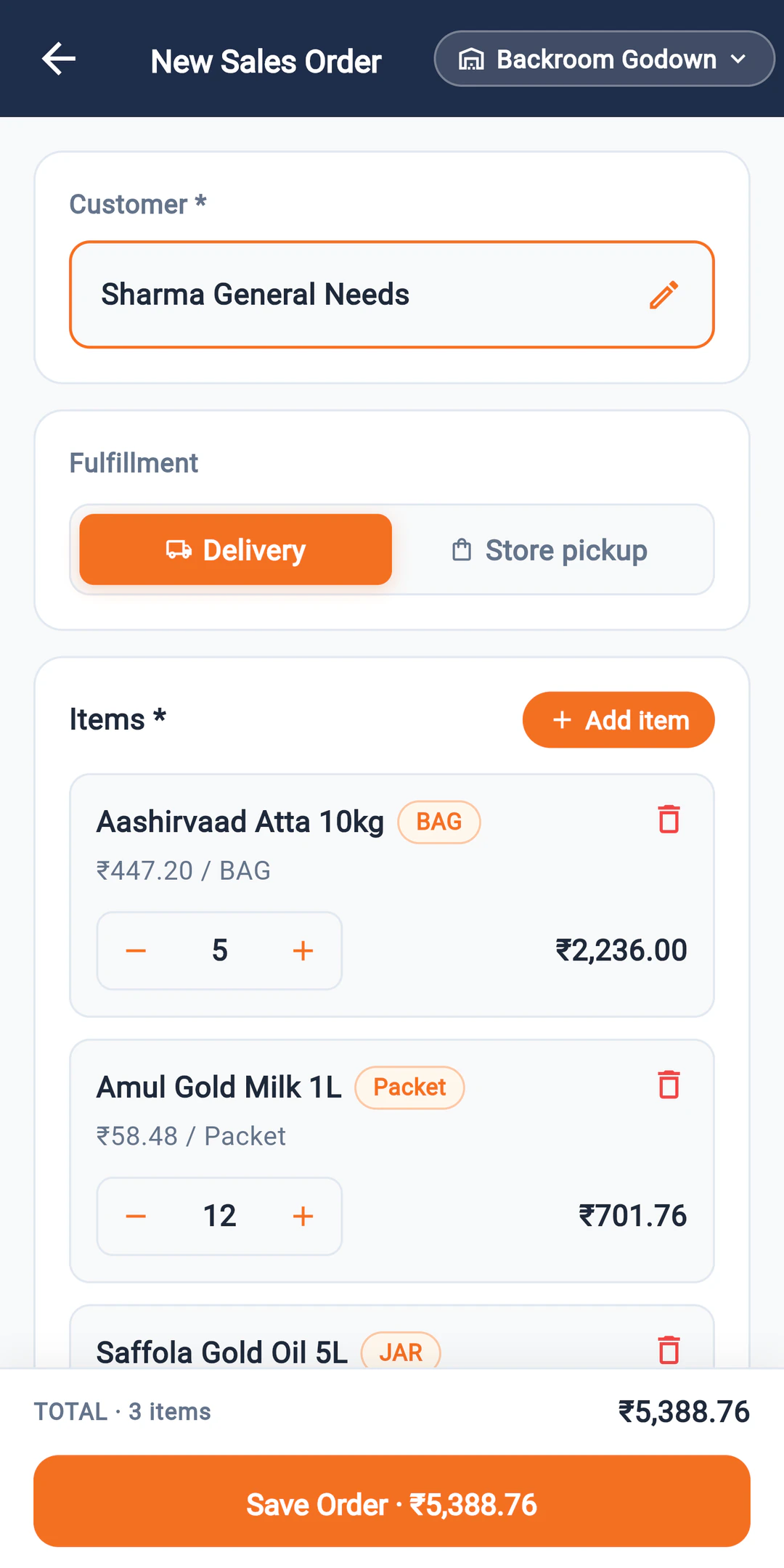
Field orders see the same stock
Orders booked by salesmen on the Connect app come into the same system as the godown stock, so the office spots a shortage before it dispatches, not after.
Which plan
The number of godowns depends on the plan; the pricing page lists it for each. Inventory, billing and the salesman app come together in every plan.
Compare plans →Not the right fit if you need
- –Manufacturing, bill of materials or production planning
- –A standalone warehouse system for a logistics company
FAQ
Inventory software questions
How many godowns can I use?
It depends on the plan; the pricing page lists the number for each. Each godown keeps its own stock, with transfers between them.
Does it track batch and expiry?
Yes, on the items that need it, and the dashboard lists batches that have expired or are about to.
Can I buy in cartons and sell in pieces?
Yes. Each item can have several units, and stock converts between them, so it reads like 34 cartons and 7 bottles.
Can I import my item list?
Yes. Tally and BUSY exports import directly, and an Excel template covers items from anything else.
See your stock in LalaJi
Send us your item list and godowns. We will set up a demo with your units and stock, then walk you through a day of bills and purchases.
Call +91 81940 09009 · Mon–Fri, 9 AM – 6 PM IST