
For wholesale traders
Wholesale billing software for traders who sell on credit
Sound familiar?
- Rates for each buyer live in one person's head
- Credit tracked in a notebook
- Bounced cheques found a week late
- Shop and godown stock never match
LalaJi ERP keeps the counter, the godown, the rates and the money owed in one place, so the owner is not the only person who knows who owes what.
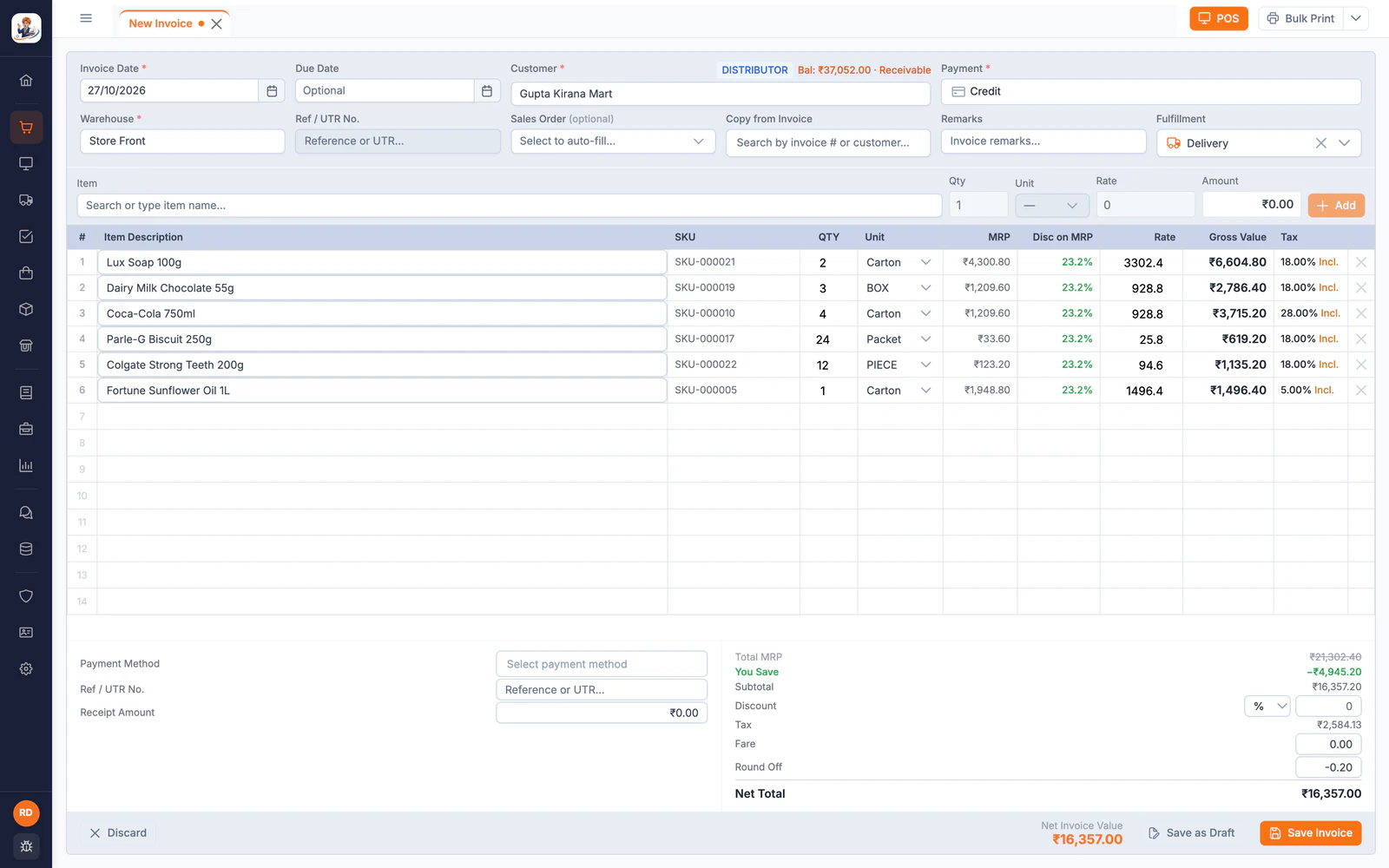
A trader's day, before and after
| Today | With LalaJi ERP |
|---|---|
| Different rates for different buyers, kept in someone's head | Price lists by party group, so the counter and the salesman bill the same rate |
| Outstanding tracked in a notebook | Party ledgers and outstanding, with payment reminders sent on WhatsApp |
| A cheque bounces and nobody notices for a week | A cheque register that tracks clearing and bounces |
| Shop and godown stock never match | Stock by godown, with transfers between them |
| Selling in cases to some and pieces to others | Multiple units per item: case, box and piece, with stock counted correctly |
What a trader uses in LalaJi
Counter billing
POS with shifts, day close and thermal printing for walk-in buyers.
Orders and returns
Quotations, sales orders, invoices, returns and credit notes.
Purchases
Purchase orders, supplier bills, returns and payments, with reorder alerts.
Credit control
Ledgers, outstanding, cheque register and approvals before receipts are posted.
A team, not one login
Several users with their own roles and an activity log of every change.
GST for your CA
GST invoices, e-invoices and e-way bills, and GSTR-1, 3B and 9 reports.
The counter, the godown and the market
Your billing staff keep their keys
The desktop app's Classic mode is keyboard-first today, and Tally, BUSY and Marg shortcut presets are launching next: in the Tally preset, F8 opens a sales invoice and F9 a purchase bill, so a busy morning at the counter does not slow down while people learn new software.
Stock in the units you trade in
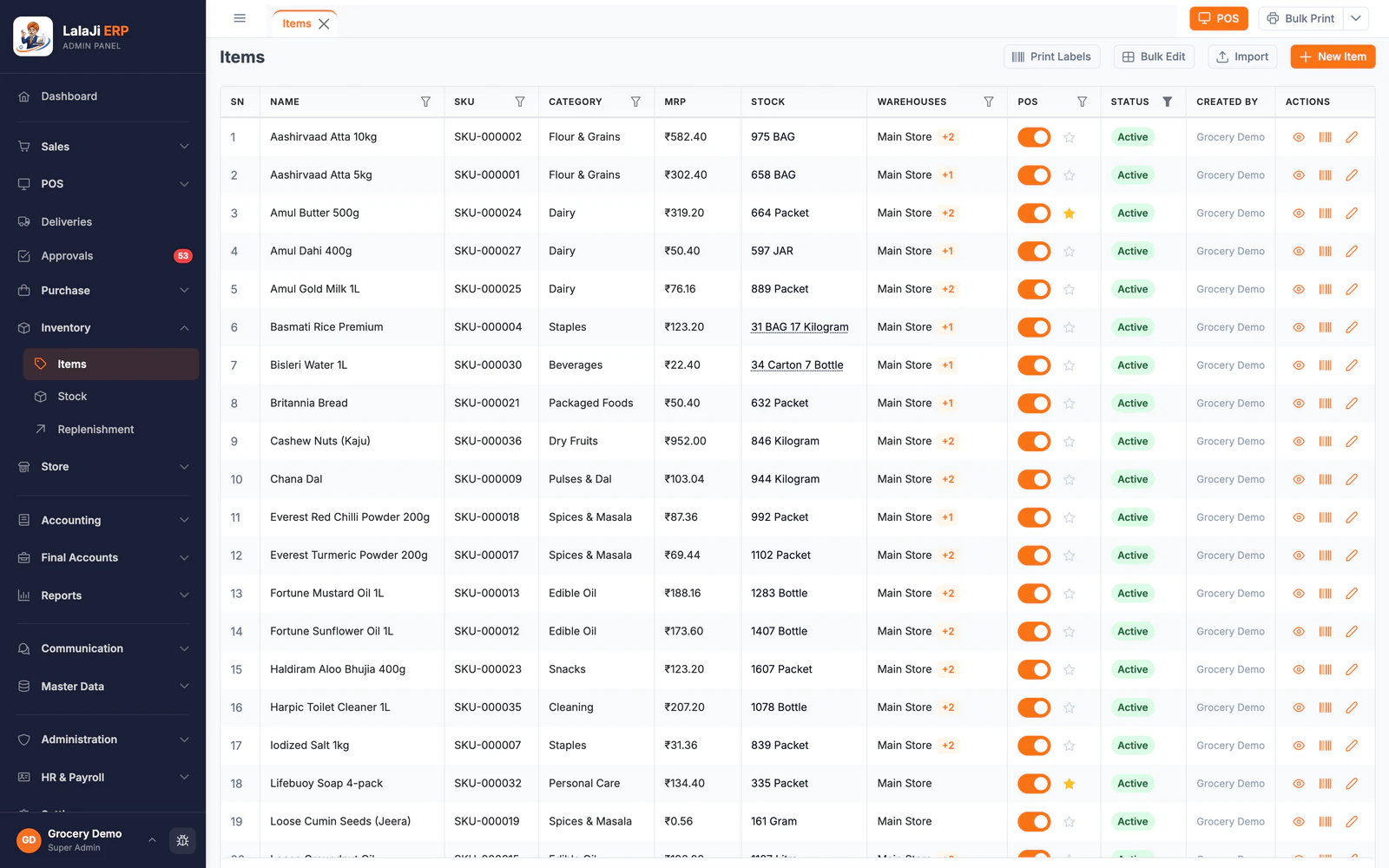
The item list shows stock the way the godown counts it, like 34 cartons and 7 bottles, with the MRP and the godowns that hold it. Reorder levels feed a replenishment list, so short items show up before a buyer asks for them.
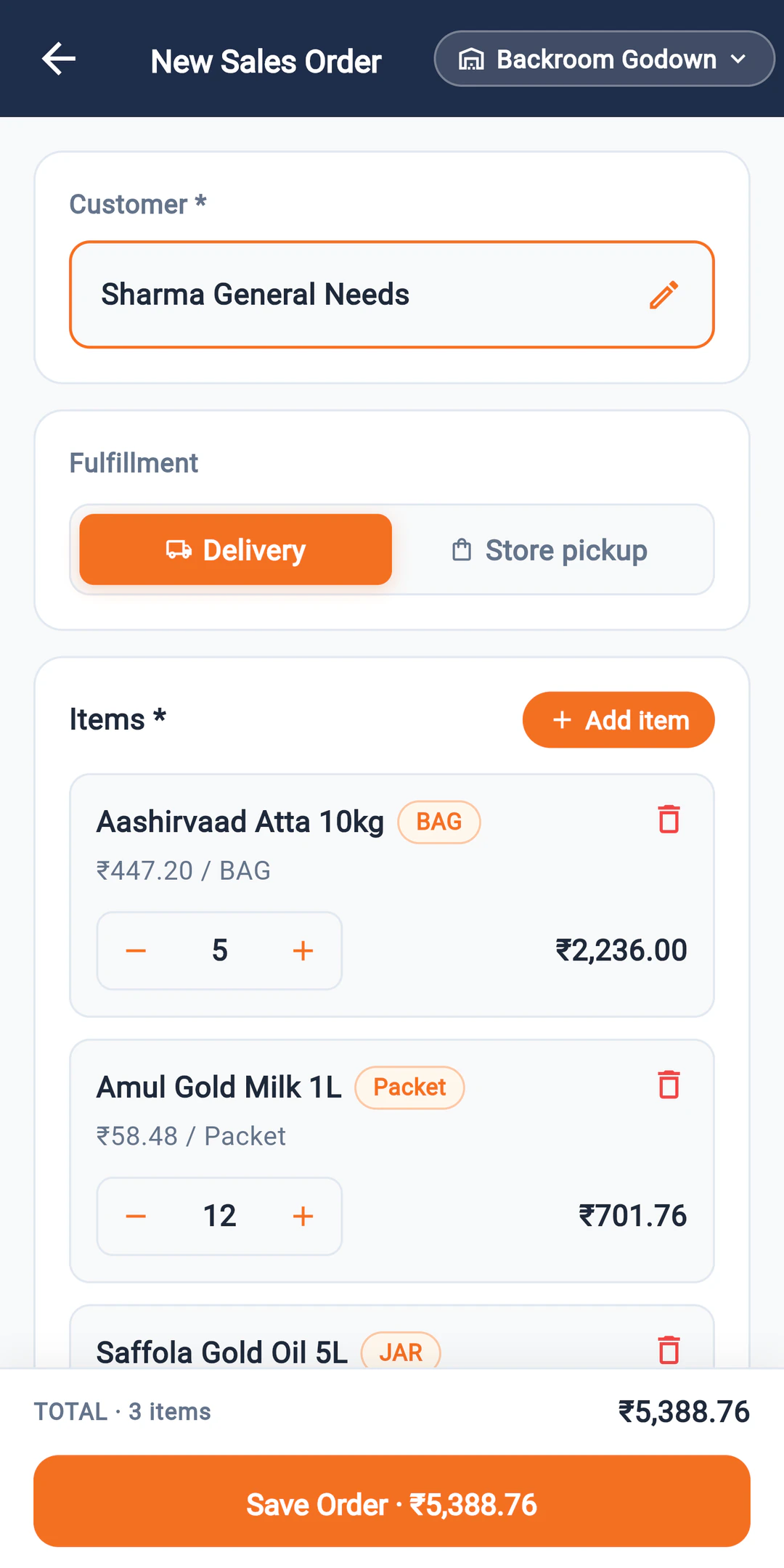
Salesmen bill at the counter's rate
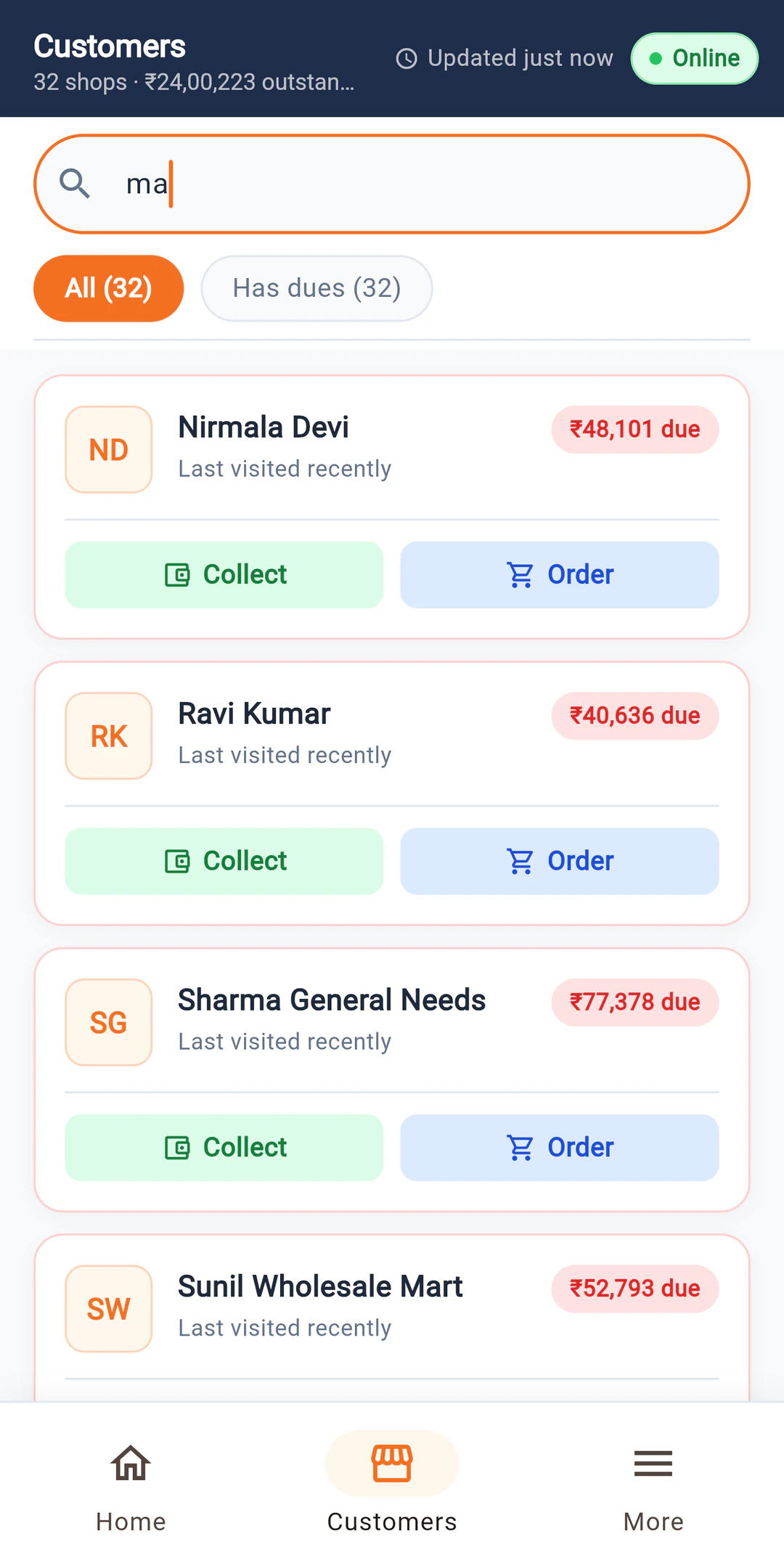
An order booked on the Connect app picks up the party's own price list, the same one the counter uses. It reaches the office as soon as it is saved, or when the phone finds a signal.
Which plan
Most traders start on Business. If your salesmen book orders in the market, the Connect app is already included. If you also want retailers to order online, Business + Online adds your own store.
Compare plans →Not the right fit if you need
- –Manufacturing, production planning or bill of materials
- –Trade schemes and free-goods offers calculated automatically
- –Full double-entry accounting with bank reconciliation today (being built)
FAQ
Trader questions
Can I bill some buyers in cases and others in pieces?
Yes. Each item can have several units, such as case and piece, with the conversion set once, and stock is counted correctly either way.
Can different buyers have different rates?
Yes. Price categories let you set wholesale, semi-wholesale or party-specific rates, and billing picks the right one for the party.
Will it handle a counter and a godown?
Yes. Bill at the counter on the POS screen and keep each godown's stock separately, with transfers between them.
Can I bring my data from Tally or BUSY?
Yes. Upload a Tally XML or BUSY export and parties with balances, items and past sales and purchase invoices come across. Excel templates cover the rest.
See your counter in LalaJi
Send us your item list and a few invoices. We will set up a demo with your rates and show you a busy morning at the counter.
Call +91 81940 09009 · Mon–Fri, 9 AM – 6 PM IST