
POS software
POS software that turns your PC or phone into a billing machine
Sound familiar?
- The queue grows when the internet drops
- Cash at day close never matches the bills
- A billing machine that knows nothing about stock
- Every cashier charges a different rate
Install the LalaJi desktop app on the counter PC, connect a thermal printer and a barcode scanner, and start billing. Every sale lands in the same stock, ledgers and GST returns as the rest of the business.
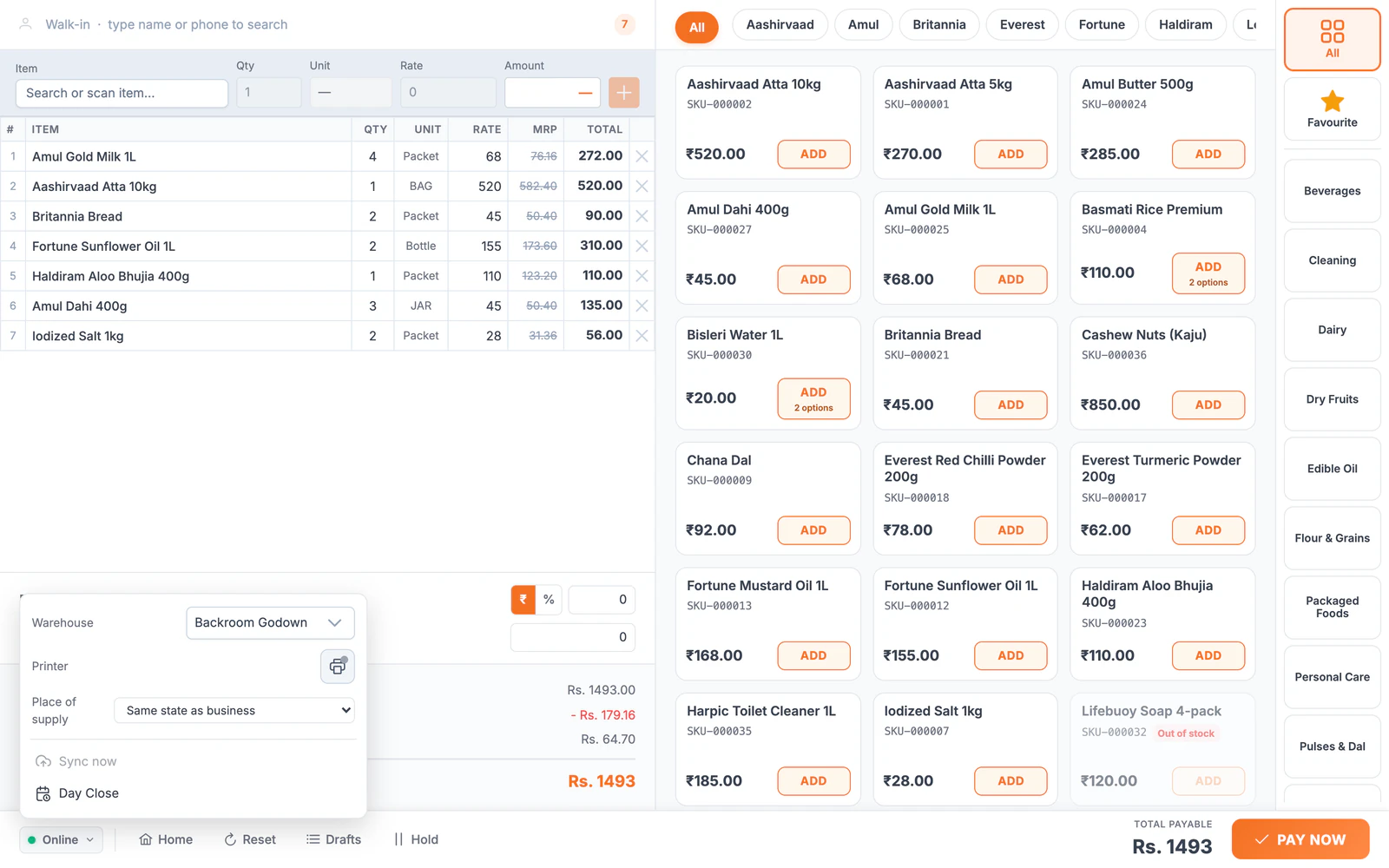
The counter, before and after
| Today | With LalaJi ERP |
|---|---|
| A long queue when the internet drops | The desktop POS keeps billing offline and syncs when the connection returns |
| Cash at the counter never matches the bills | Shifts and day close count each cashier's cash against their sales |
| A billing machine that knows nothing about stock | Every POS bill updates stock, ledgers and GST returns |
| Typing item names during a rush | Scan a barcode, or tap the item on a grid by brand and category |
| Paper bills customers lose | Thermal receipts, or the bill on WhatsApp |
What the POS does
Billing that keeps going
The desktop app bills offline and syncs later; the Android app bills walk-ins on a phone.
Shifts and day close
Open and close cashier shifts and count the cash against sales at day close.
Barcodes and a product grid
Scan or search items, or tap them on a grid sorted by brand and category.
Receipts
Print on thermal printers, or send the bill to the customer on WhatsApp.
Units and savings
Sell by piece, packet or box at the right price, and show customers what they saved against MRP.
One back office
Purchases, stock by outlet, supplier dues and GST behind the counter, in the same system.
At the counter and behind it
A second counter on a phone
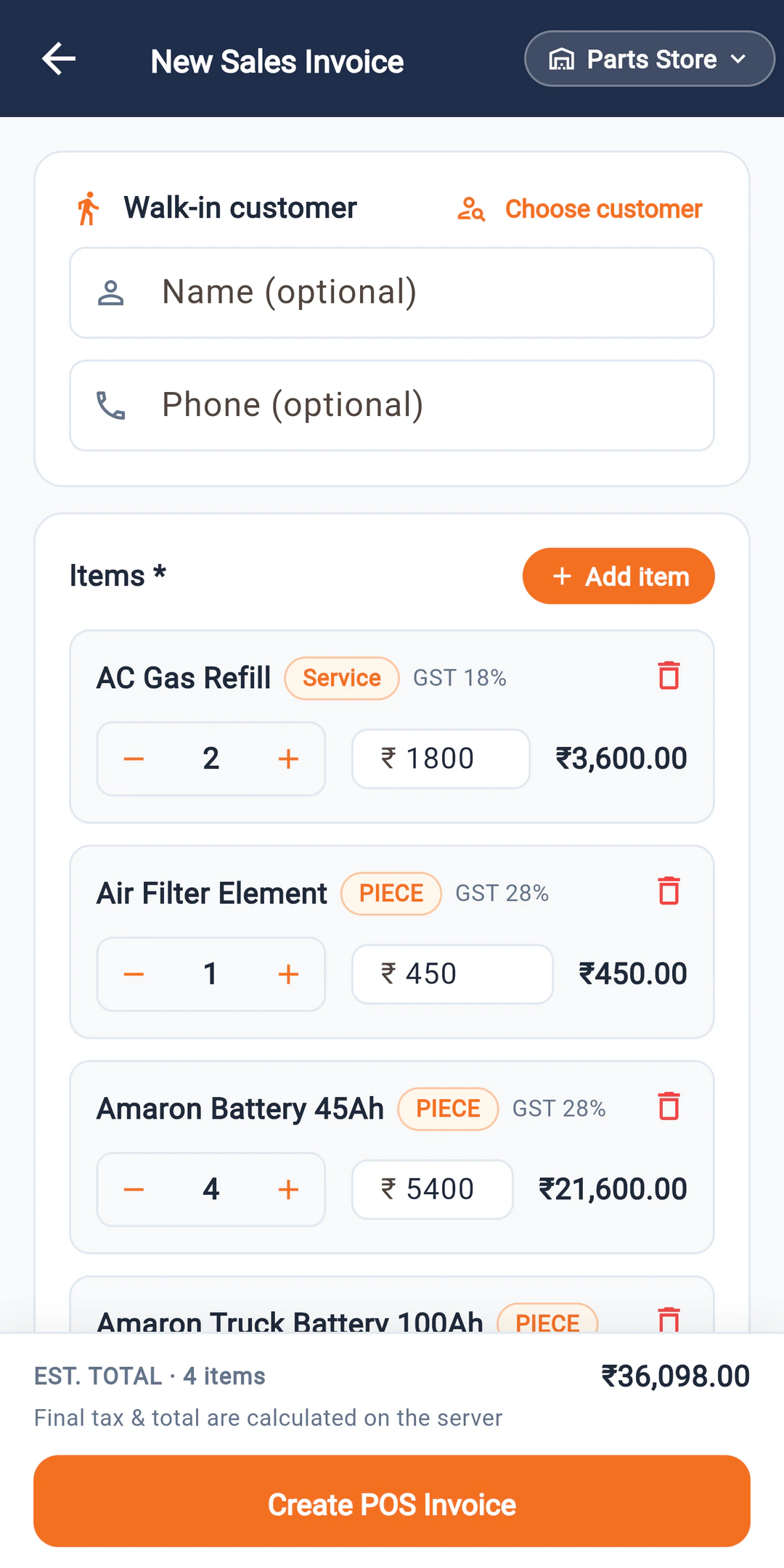
On a busy day or a van round, the LalaJi Connect Android app bills walk-in customers with GST on each line, from the same stock as the counter.
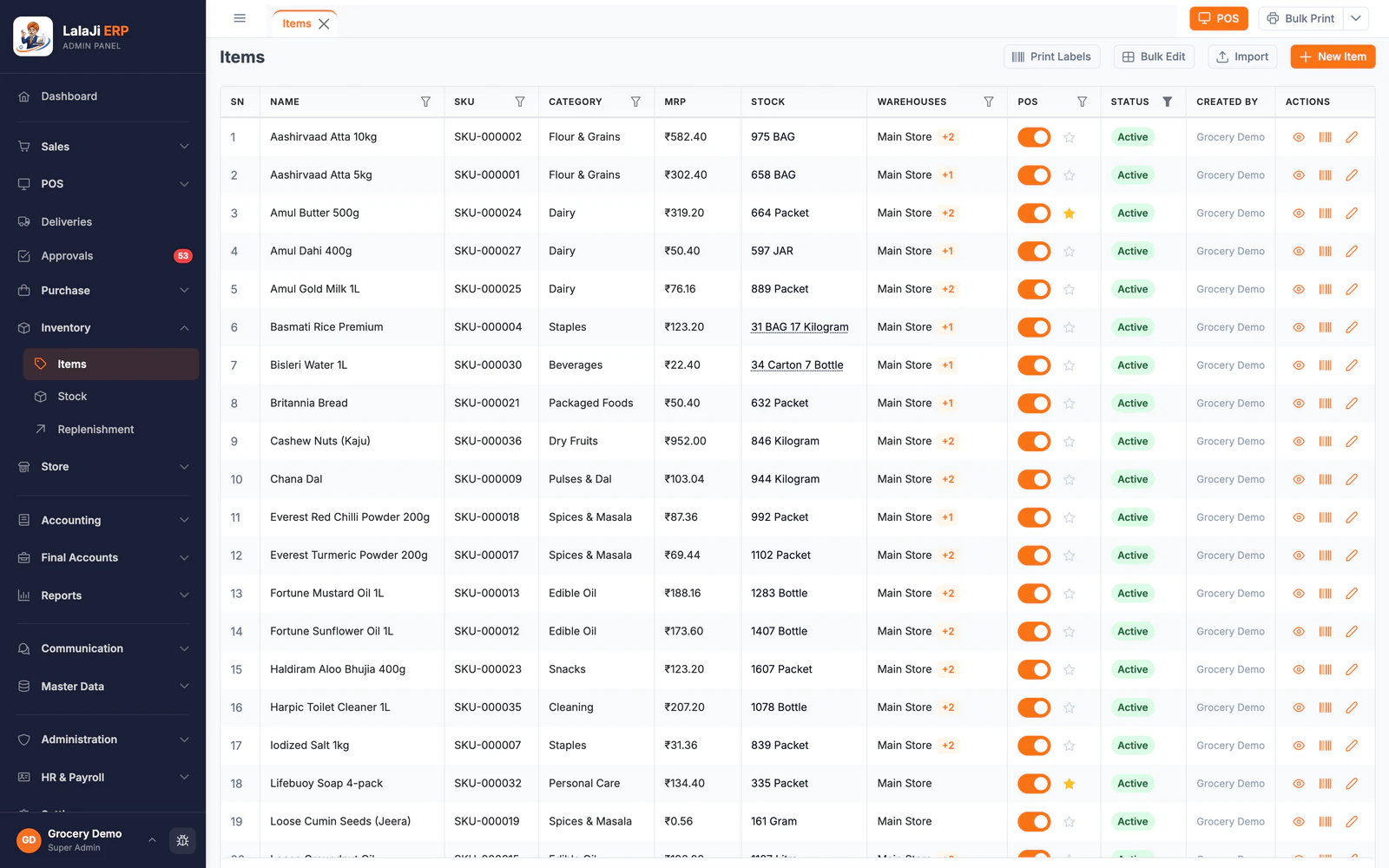
Stock that follows every sale
Each POS bill takes stock out of the right outlet in the unit it was sold in, so the shelf and the books agree at day close.
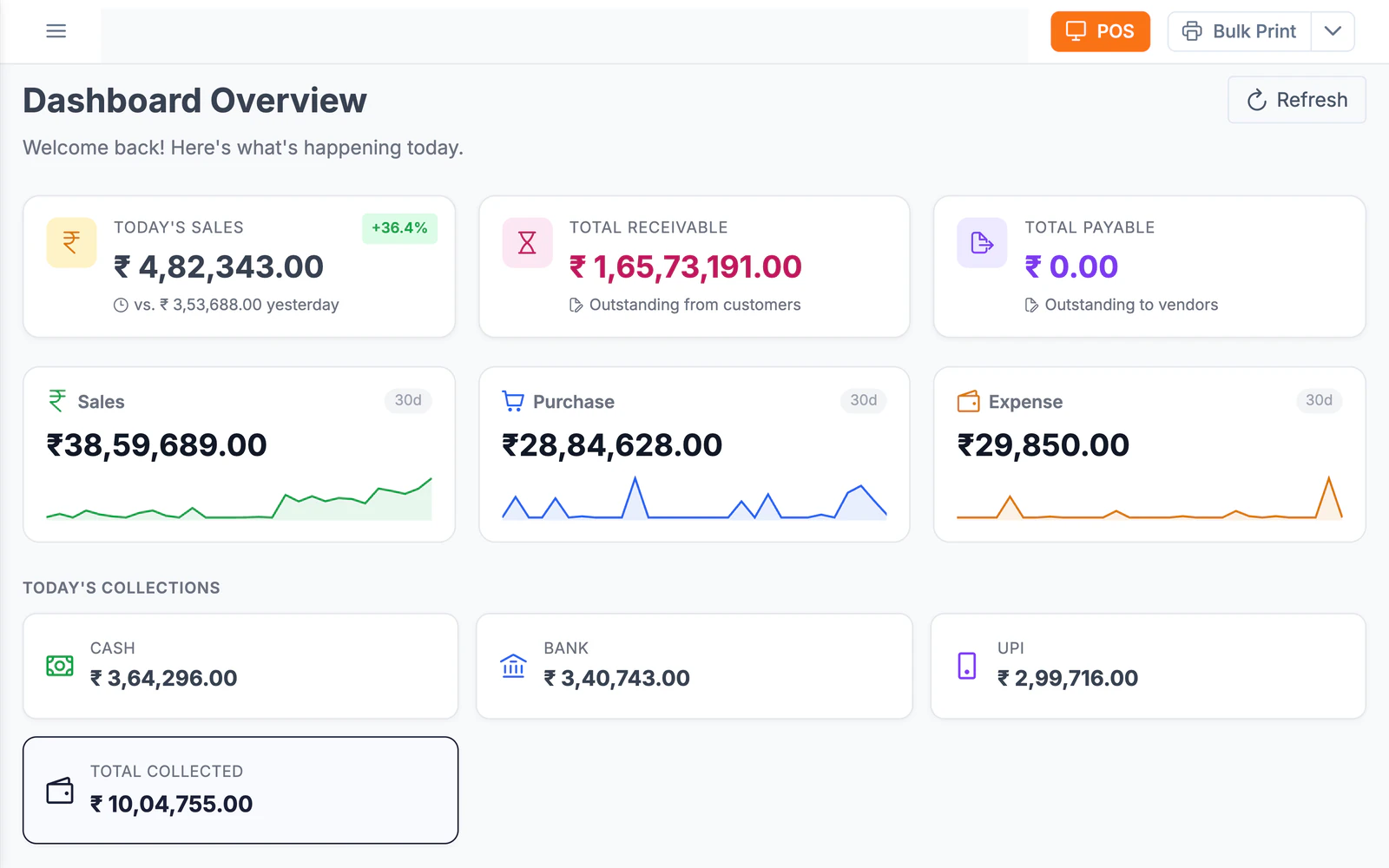
The owner sees the day without calling the shop
Today's sales against yesterday and collections split into cash, bank and UPI, from any browser.
Keys your cashiers already know
Moving from Marg, BUSY or Tally? The desktop app's Classic mode is keyboard-first today, and a shortcut preset for each is launching next, so the keys your staff press without looking will keep working.
Which plan
POS billing comes with every plan, along with the rest of the ERP. A single shop usually starts on Business; if you want customers to order online too, Business + Online adds your own store.
Compare plans →Not the right fit if you need
- –Restaurants, cafes and table service
- –A standalone billing machine with no stock or accounts behind it
FAQ
POS software questions
Do I need to buy a billing machine?
No. LalaJi runs on a Windows or Mac PC at the counter, and the Android app bills on a phone. Add a thermal printer and a barcode scanner for printed receipts and scanning.
Does billing stop if the internet goes down?
Not on the desktop app. It keeps billing offline and syncs the sales when the connection returns.
Which printers does it work with?
Thermal receipt printers. Tell us your model before the demo and we will check it with you.
Can I run more than one counter or outlet?
Yes. Each cashier runs their own shift, and each outlet keeps its own stock, with transfers between them.
See your counter on LalaJi
Send us your item list and we will set up a demo store with your products, then bill a few sales together on a call.
Call +91 81940 09009 · Mon–Fri, 9 AM – 6 PM IST