
For multi-brand retailers
Retail billing and stock for multi-brand stores and small chains
Sound familiar?
- The queue grows when the internet drops
- Cash at day close never matches the bills
- Shelf stock and book stock disagree
- Re-ordering from memory
LalaJi ERP gives the counter a fast POS and the owner the view behind it: purchases, stock in each outlet, supplier dues and GST, in one system.
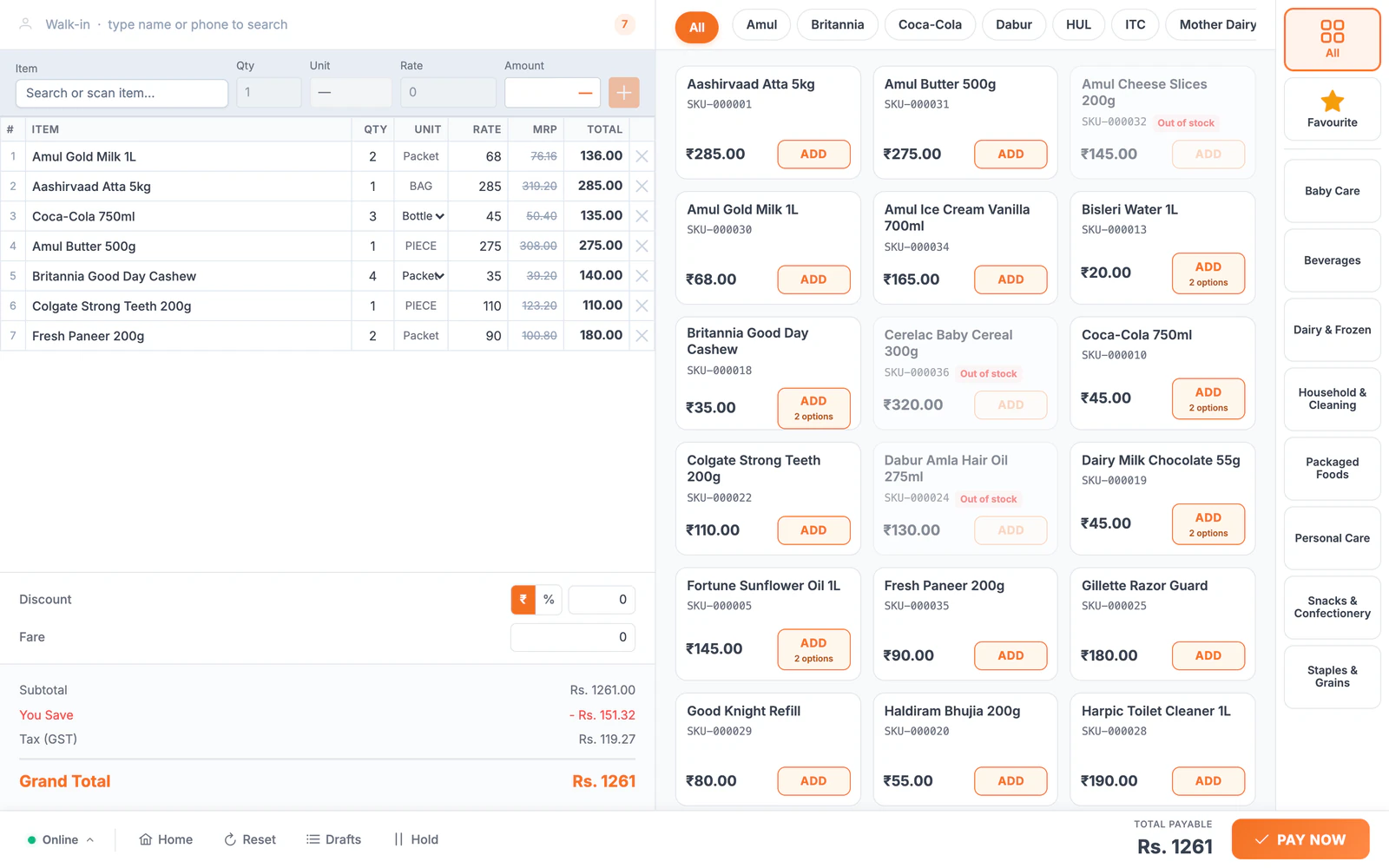
Running the store, before and after
| Today | With LalaJi ERP |
|---|---|
| A long queue when the internet drops | POS billing that keeps working offline in the desktop app and syncs later |
| Cash at the counter never matches the bills | Shifts and day close, so each cashier's cash is counted against their sales |
| Stock spread across outlets, counted by hand | Each outlet's stock kept separately, with transfers between outlets |
| Re-ordering from memory | Reorder levels and a replenishment list before a shelf runs empty |
| Different prices for walk-ins and bulk buyers | Price lists by buyer type at the same counter |
What a retailer uses in LalaJi
Fast counter billing
POS with shifts, day close and thermal receipt printing; keyboard-first in the desktop app.
Many suppliers
Purchase orders, supplier bills, returns and payments for every brand you stock.
Outlets and godowns
Stock by location with transfers, batch and expiry tracking.
Receipts on WhatsApp
Send bills and receipts to customers on WhatsApp instead of paper.
Staff and control
Roles per user, approvals on returns and an activity log of every edit.
GST
GST invoices and GSTR-1, 3B and 9 reports ready for your CA.
Launching next
- ◷Your own online store so regular customers can order from you
Behind the counter
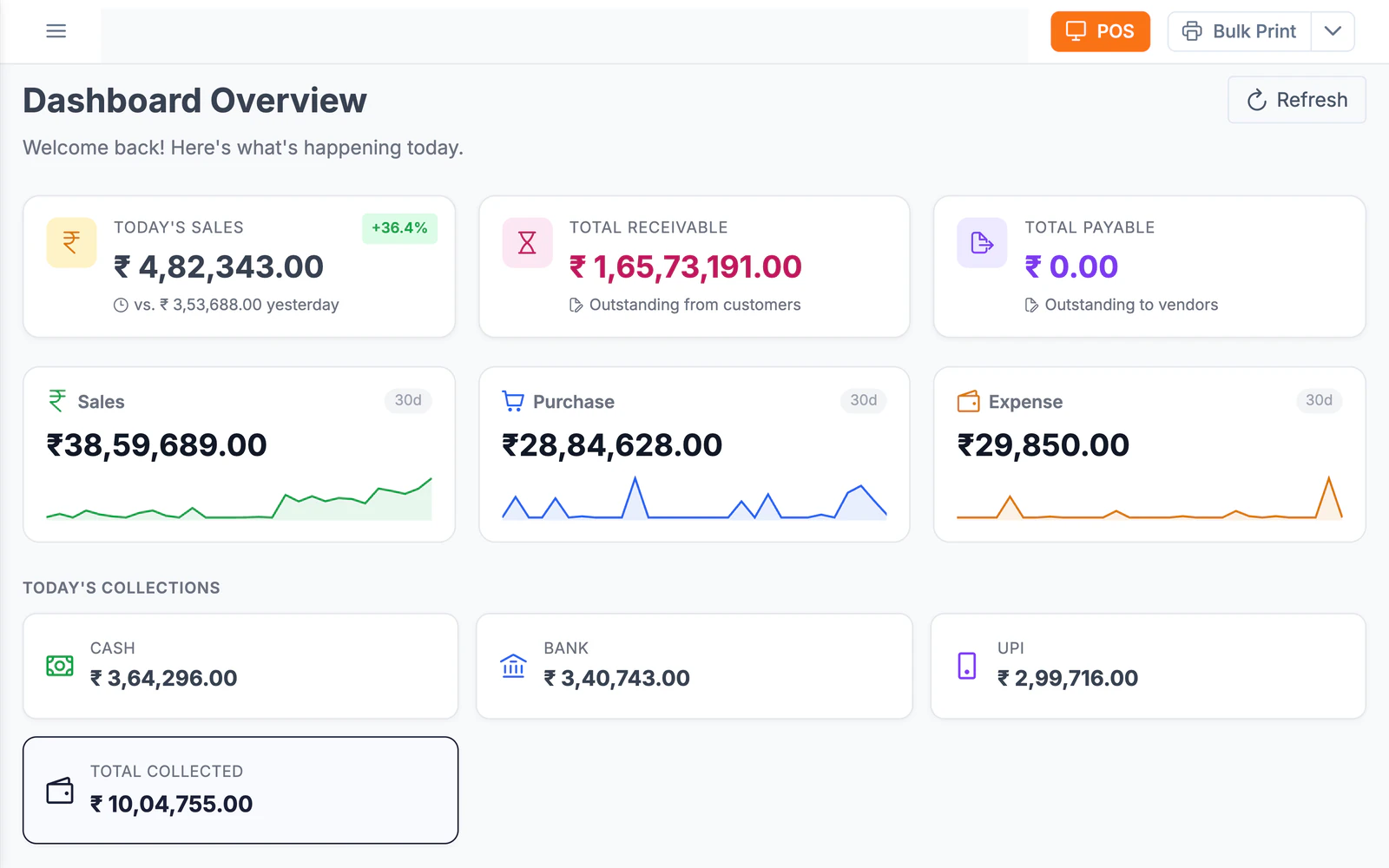
The owner's view of the day
Today's sales against yesterday, collections split into cash, bank and UPI, and 30-day trends, from any browser, without calling the store.
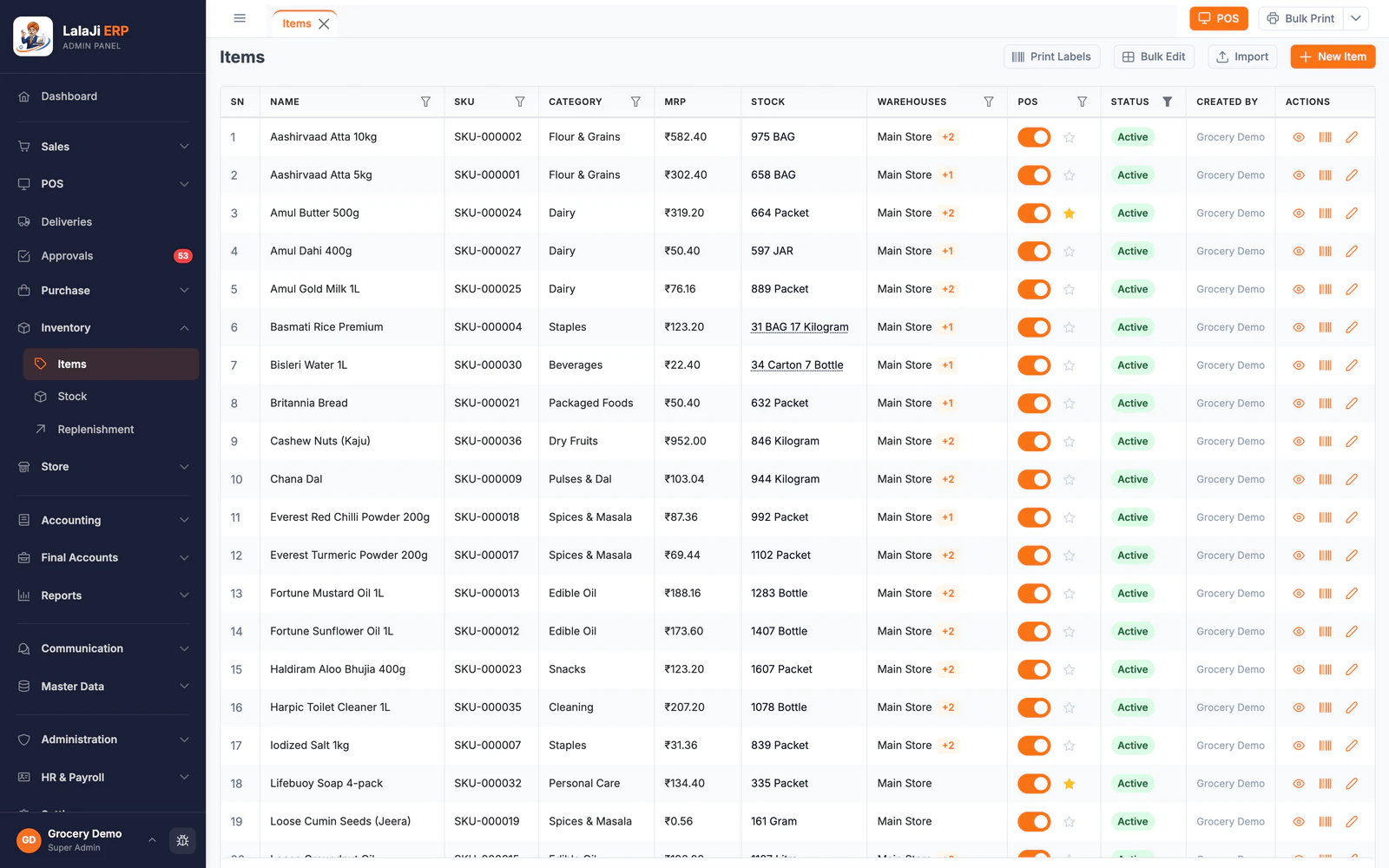
Every item's stock at a glance
The item list shows stock in the units you sell, like 31 bags and 17 kilos, which outlets hold it and whether it is on the POS. Batch and expiry are tracked for the items that need them, and transfers move stock between outlets.
Shortcut keys your staff already know
Coming from Marg, BUSY or Tally? The desktop app's Classic mode is keyboard-first today, and a shortcut preset for each is launching next, so the keys your billing staff press without looking will do the same jobs.
Which plan
A single store or small chain usually starts on Business. If you want customers to order online from your own store, Business + Online adds it.
Compare plans →Not the right fit if you need
- –Restaurants, cafes and food service billing
- –Manufacturing or production
FAQ
Retailer questions
Does billing stop if the internet goes down?
Not on the desktop app. It keeps billing offline and syncs the sales when the connection returns.
Can I run more than one outlet?
Yes. Keep each outlet's stock separately and move stock between outlets when one runs short.
Does it print on thermal printers?
Yes. The POS prints receipts on thermal printers.
Can I bring my items from my current software?
Yes. Tally and BUSY exports import directly, and Excel templates cover items, parties and invoices from anything else. An AI import that reads other software's exports is launching next.
See your counter on LalaJi
Send us your item list and we will set up a demo store with your products, then bill a few sales together on a call.
Call +91 81940 09009 · Mon–Fri, 9 AM – 6 PM IST